Product Details
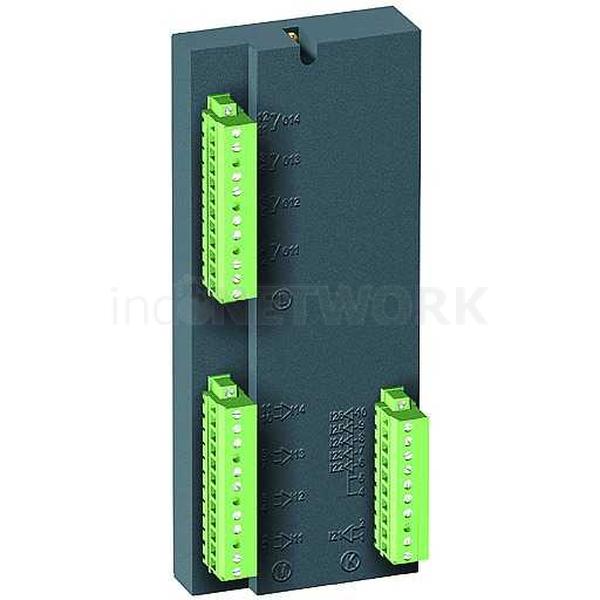
MES114
150-250 USD
TRANSFER
30 SET
FRANCE
Description Installation To install the MES114 input/output module, orient the MES114 module as pictured (to the left) and complete the following steps: 1. Insert the two pins on the bottom of the MES114 module into the corresponding slots on the Sepam base unit. 2. Press the top of the MES114 module against the Sepam base unit NOTE: Confirm the MES114 module is aligned with the connector on the Sepam base unit. 3. Tighten the mounting screw . A, B, and C are removable, lockable screw-type connectors A. Connectors for four relay outputs — O11: One control relay output — O12–O14: Three annunciation relay outputs B. Connectors for four independent logic inputs — I11–I14 C. Connectors for six logic inputs — I21: One independent logic input — I22–I26: Five common point logic inputs Also, in the diagram to the right D. 25-pin sub-D connector — Connects the module to the base unit E. Voltage selector switch for MES114E and MES114F module inputs — Set to V DC for DC voltage inputs (default setting) — Set to V AC for AC voltage inputs F. Label — Indicates the chosen parameter settings for MES114E and MES114F input voltages The parameter setting status can be accessed via the Sepam™ Diagnosis screen of the SFT2841 Setting and Operating software. Access the parameter settings for the AC voltage (V AC setting) block inputs with the "Operating Time Measurement" function
© 2026 Copyright PT. Quinratu Karya Prisma by arFha. Page generated in 0.0145 seconds.